Kindroid Review 2027: Private Chats, Prices at Checkout
 By Alex MorganUpdated: 21 min read
Characters answer by voice message and pick up voice or video calls in our testing, while those calls use audio credits that cost extra.

Kindroid
Our verdict
- Free plan
- 50 msgs, 5 selfies
- Adult content
- 18+ only
- Characters
- Community or custom Kins
- Voice chat
- Voice messages and calls
Kindroid key facts
Checked against the official site on kindroid.ai
| Free plan | 50 msgs, 5 selfies |
|---|---|
| Adult content | 18+ only |
| Extra costs | Selfie/audio credits |
| Images | Selfies and video selfies |
| Voice chat | Voice messages and calls |
| Characters | Community or custom Kins |
| Languages | Multilingual chat and voice |
| Payment methods | Cards, PayPal, wallets |
| Refund policy | Case-by-case refunds only |
| Cancel subscription | Account settings or store |
| Privacy | Encrypted; no data sold |
What Is Kindroid? Overview of the Platform
Kindroid is an AI companion app where you create or pick a character, called a Kindroid or Kin, and talk to it by text, voice message, call and selfie.
Day to day it works like a messaging app with one character on the other end. You choose a ready-made Kin from Community or make your own by setting its name, look and personality, then chat one-on-one. Subscribers can run multiple Kindroids and bring them into group chats. Every Kindroid stays private unless you go through the sharing process yourself.
The one thing that defines Kindroid is how much of the relationship can run on voice. In single chats a Kindroid answers your voice message with a voice message of its own, and it can take voice and video calls. It also sends selfies, group selfies and video selfies, and subscribers can start Live Avatar Video Calls. On the mobile app an audio call keeps going while the app sits in the background, though that does not work for video calling.
New accounts start on a limited free preview, the paid Standard subscription opens up the rest, the Ultra and MAX add-ons stack on top of Standard, and calls draw on a separate balance of audio credits. You can use Kindroid on the web, on iOS and on Android.
Kindroid suits adults who want a long-running companion they shape themselves and who like to talk out loud as much as they type. NSFW and erotic roleplay are allowed in private chats, so it fits readers looking for adult roleplay too. It is not for anyone under 18. It is also the wrong place to turn in a crisis, because Kindroid's guidelines state plainly that it is not an emergency or mental health service.
Kindroid Features
Kindroid's features centre on a character you talk to in several ways: typed chat, recorded voice, live calls and pictures, with sharing tools for the characters you make.
Voice messages
YesRecord a message instead of typing, in single chats and in group chats. In a single chat the reply comes back as audio too, without you asking for it.
Voice and video calls
PartlyCalls need an active subscription or free trial and some audio credits left before they start. When a Kindroid calls you, you have up to an hour to answer.
Live Avatar Video Calls
PartlyA subscriber feature that puts a moving avatar on the call. It comes in two tiers, Standard and Premium, and both use audio credits.
Background calling
PartlyThe mobile app can drop to the background while an audio call continues. Video calling does not support this, and the Picture-in-Picture view of your avatar is limited to the iOS app.
Selfies and video selfies
YesA Kindroid can send selfies, group selfies and video selfies, and you can send images and videos back to it. Video avatars are part of the same toolset.
Community and custom Kins
YesStart from a ready-made Kin in Community or build one from scratch. A custom Kin starts from the name, look and personality you choose.
Multiple Kindroids, group chats
PartlySubscribers can keep more than one Kindroid and put them into a group chat together. The free trial opens this perk as well.
Custom voices
PartlyA subscriber perk that gives a Kindroid its own voice for messages and calls. Custom voices are not carried over when you share that Kindroid.
Sharing a Kindroid
YesNothing is public until you go through the sharing process. A shared copy leaves out long-term memory, journals and any chat history.
These pieces build on each other. The free preview covers a first taste of chat, selfies and voice on messages, and the Standard subscription or the trial opens calls, extra Kindroids, group chats and custom voices. Audio credits are the second layer: a call cannot start without some left, so a subscription alone does not keep the voice side running.
Kindroid Pricing: Free vs Paid Plans
Kindroid has a limited free preview, one paid Standard subscription sold in three terms, and two monthly add-ons, Ultra and MAX, with calls billed separately in audio credits.
| Free preview | Standard | Ultra | MAX | |
|---|---|---|---|---|
| Price | Free | Shown at checkout | Shown at checkout | Shown at checkout |
| Billing | Free | Monthly, quarterly or yearly | Monthly | Monthly |
| Calls | Subscription or trial needed | Yes, with audio credits | Yes, with audio credits | Yes, with audio credits |
| Group chats | Not published | Yes | Yes | Yes |
| Works without Standard | Yes | Yes | No | No |
Kindroid does not publish a price list. In our testing no subscription price appeared until checkout, where the amount is set by your country and by the platform you pay on. Two rules still help you plan: buying on the web is usually cheaper than through the App Store or Google Play, and longer terms cost less per month than the monthly one.
New users are eligible for a 3-day premium trial on iOS, Android and web. It needs a payment method on file and converts into a subscription unless you cancel inside the trial period, and each person gets one. On the web the trial also asks for a verified mobile phone number, and in some regions it is only offered through the app stores. Trial chats run on the Ember model until the trial converts.
- Voice and video calls carry an additional charge of 400 credits per minute, applied on a rolling basis while the call is active.
- Live Avatar Video Calls cost about 2,500 audio credits per minute on the Standard tier and about 4,500 on the Premium tier.
- Selfie credits are spent on selfies and on animations or video selfies.
- Selfie credits, audio credits and extra Kindroid slots can only be bought with an active subscription or free trial.
Web checkout takes the major credit cards plus PayPal, Apple Pay, Google Pay, Amazon Pay and Cash App. Gift cards are not accepted there, and neither a prepaid card nor Cash App can start a trial. Refunds are considered case by case, the general rule is that all sales are final, and in-app purchases are not refunded. Web subscribers cancel under Profile, Billing, Kindroid Standard Subscription, Manage, while iOS and Android subscribers cancel in their app store settings. Deleting your account does not cancel a subscription, and a lapsed Standard plan turns the account read-only even with Ultra or MAX still running.
Kindroid Signup & Log in Process Reviewed
Signing up for Kindroid is a short process with one sign-in choice, a code when you use email, and an age check that normally asks for no paperwork.
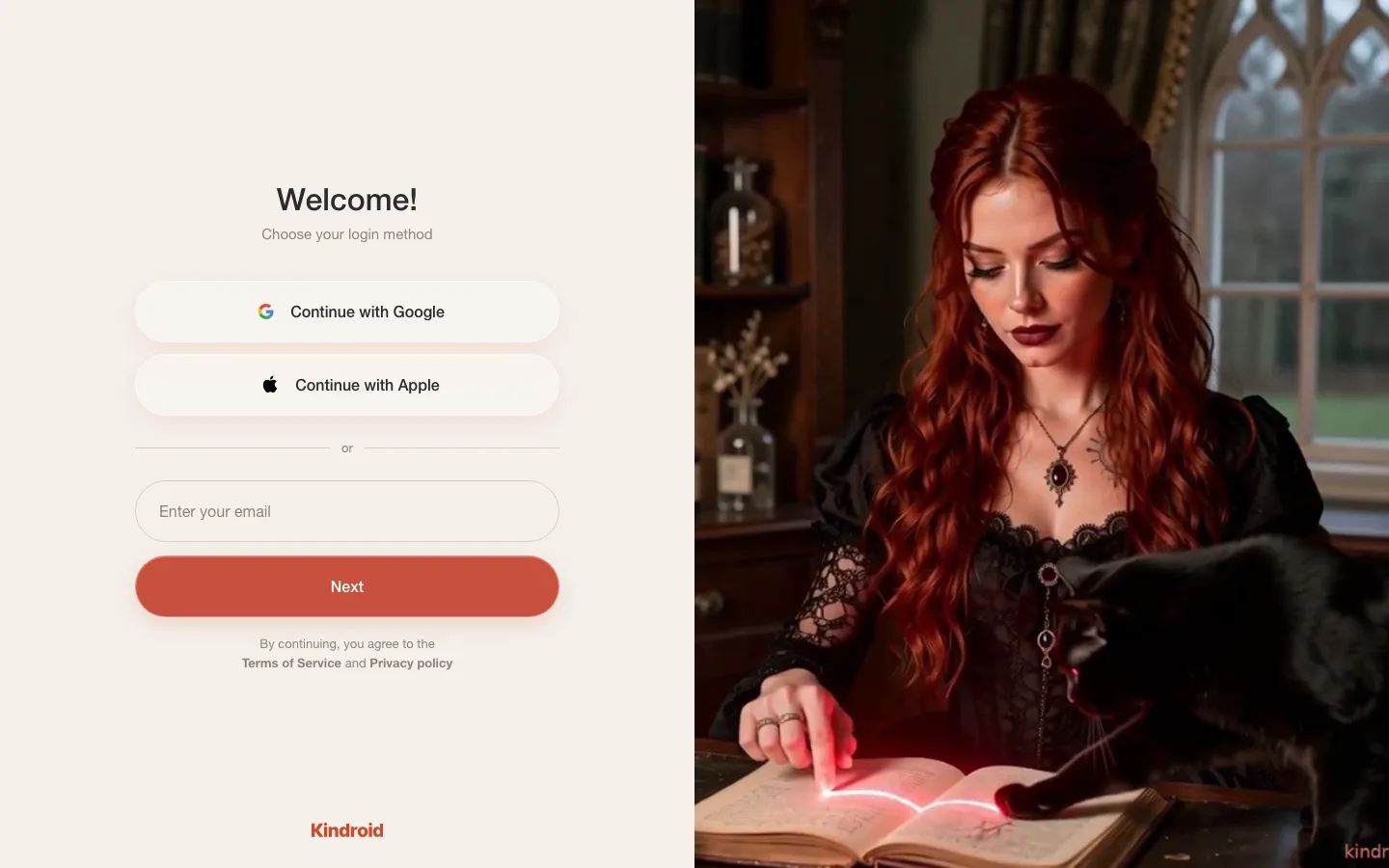
Open the sign-in screen
Start on the web app or in the iOS or Android app. The web version runs in the browser, with nothing to download.
Choose a sign-in method
Use an email code, Continue with Google or Continue with Apple. The Apple button shows on the web and in the iOS app.
Enter the email code
Email sign-in sends a code of 8 digits that expires after 15 minutes. Ask for a new one if it runs out before you type it in.
Confirm you are an adult
The Terms of Service require every user to be 18 or older from day one. Paying subscribers are verified automatically, because the payment on file serves as the age verification.
Meet your first Kin
New accounts open on the limited free preview. Pick a character or make one, then send your first message.
One detail trips people up at the email step: a new account cannot use an address that contains a plus character, so an alias like name+kin will be refused. A single sign-on button skips the code step entirely, so there is no email to wait for.
The age check asks little of you privacy-wise. Kindroid states that it does not collect or store identity documents, and on the mobile apps it may receive an age range from your app store account. Subscription time you receive as a gift, for example through a friend's gift code, does not count as age verification.
Kindroid Pros and Cons in Detail
Kindroid's strengths sit in adult roleplay, voice and privacy defaults, and its weak points are mostly about billing and how the memory holds up for some users.
Pros: Adult roleplay is allowed
NSFW and erotic roleplay are permitted in private use, so an adult story does not have to dodge a filter.
Cons: No prices before checkout
In our testing the subscription price stayed hidden until the checkout screen, which makes it hard to budget before you commit to an account.
Pros: Voice in several forms
Voice messages, calls and live avatar video calls all run on one character, which lets you move from typing to talking with the same Kin.
Cons: Subscription tied to one platform
A plan bought on iOS, Android or web cannot be moved to another platform until the current term runs out and you resubscribe.
Pros: Private unless you share
Every Kindroid belongs only to you by default, and it becomes visible to others only after you go through the sharing process.
Cons: Memory complaints from users
Some users report that their Kin mixes up memories or loses the thread of a conversation.
Pros: Ready-made or custom Kins
You can start from a Community character or define your own, so the first chat does not depend on finishing a long setup.
Cons: Calls need a second balance
A subscription alone does not cover calls, because each one also draws on audio credits that you may have to top up.
Pros: Export and delete tools
The profile menu holds Export data and Delete account, which puts leaving the service in your own hands.
Pros: Calls keep running in the background
On the mobile app an audio call continues while you use other apps, handy for longer conversations.
Is Kindroid Safe and Legit? Privacy and Data Security
Kindroid is a legitimate service with a named operating company and a binding contract, and it gives you real export and deletion controls, alongside some monitoring you should know about before you share anything sensitive.
On the legit question, the Terms of Use are a binding contract between you and BEAUTIFULLY INCORPORATED, and the legal page gives an address at 5551 Hollywood Blvd, #1277, Los Angeles, California 90028. A named company with a street address and a contract you can read is the baseline for any subscription you pay for, and Kindroid meets it.
- All data is encrypted, and no data is sold.
- A self-serve data export is available every 30 days from Profile, Preferences.
- You can delete content, a single Kindroid or the whole account.
- Deleting a Kindroid or the account takes effect 24 hours after the request.
- Account privacy includes a Sign out all devices option.
- Sharing a Kindroid never passes on its journals or its conversation log.
Deletion is the main control, because nothing ages out by itself. Chats, memories, Kindroid settings and media stay stored until you remove them, and a limited set of records can be kept for as long as 7 years to prevent abuse and to meet legal duties. If you stop using the app and simply walk away, your history stays where it is.
Private use is unfiltered, yet that is different from unseen. Authorized staff may review flagged content where needed to enforce the Terms or meet legal obligations. A lock placed on an account does not expire, and appealing it gives explicit consent for a trained member of the Trust & Safety team to review the specific content that led to the lock.
Kindroid Alternatives
Our team tested four Kindroid alternatives hands-on, and all of them are adult companion apps with characters you can pick or build.
 Joi AI
Best for: Images and videos in chat
Score: 9.4/10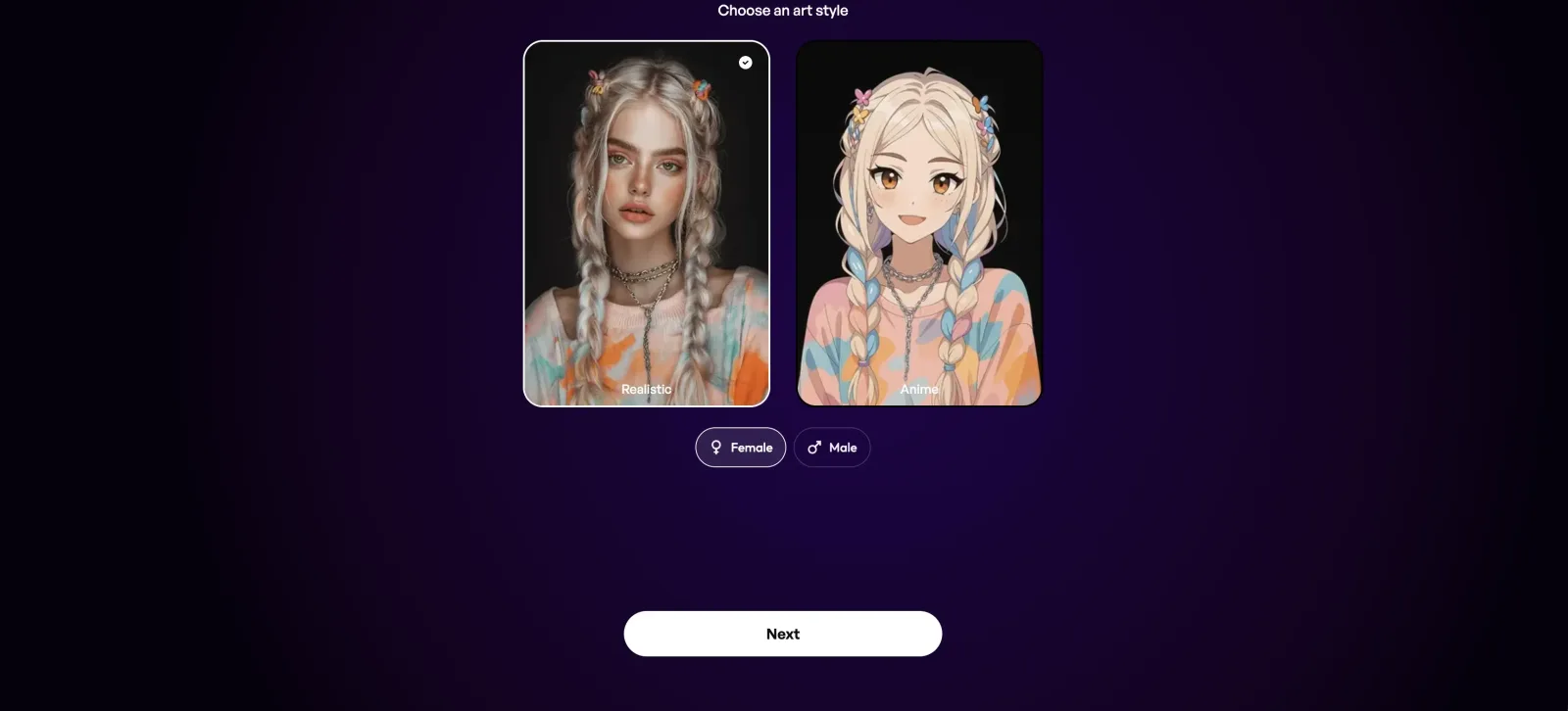
Like Kindroid, Joi AI covers adult chat with ready-made and custom characters, and it also generates images and videos while you chat. We recommend it to readers who would rather see plan prices before signing up, since Kindroid shows its subscription price only at checkout.
Explore Joi AI Candy AI
Best for: Custom companion with AI videos
Score: 9.3/10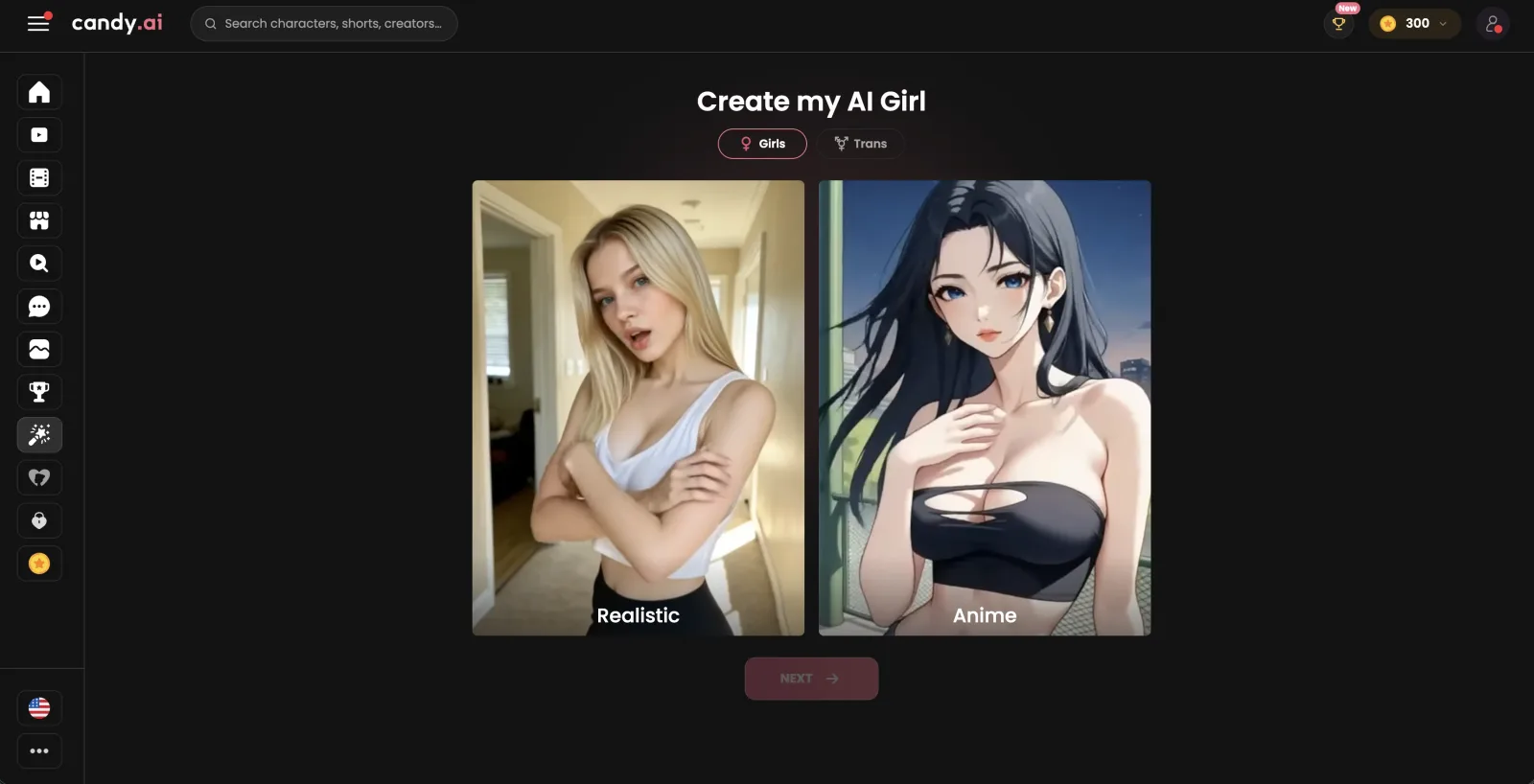
Candy AI's voice conversations come with a custom companion, personalized images, AI videos and memory, a set Kindroid covers in its own way too. We would treat it as a second app to try, not as a fix for something Kindroid lacks.
Explore Candy AI OurDream AI
Best for: Roleplay character library
Score: 9.2/10Our team lists OurDream AI for readers who put roleplay first, because it pairs a character library with voice calls and memory of past chats. Kindroid offers all three as well, so the decision comes down to which characters you prefer.
Explore OurDream AI Nectar AI
Best for: Scenario-based Fantasies
Score: 9.0/10
Nectar AI's Fantasies are scenario-based and open the roleplay for you, next to a character creator, images and video, so it is where we send readers who like a scene handed to them. Like Kindroid, it bills live calls by the minute.
Explore Nectar AI
Stay with Kindroid if your goal is a private companion you talk to out loud. Recorded voice replies, live calls and avatar video all sit on one character, each Kindroid is yours alone unless you share it, and phone users get iOS and Android apps next to the web version.
How We Tested Kindroid
Our review team tested Kindroid hands-on, on its paid plans, following the same routine it applies to each product it covers.
We test every app we review for two to three months. The budget runs between $500 and $3,000 per app, and it goes on subscriptions, upgrades and token packs. For Kindroid that meant the Standard subscription with the Ultra and MAX add-ons on top, plus audio credits for calls, and our team paid for all of it.
- We subscribed to Standard first, then added Ultra and MAX, so the account ran at every paid level.
- We used the companion across its main areas together: chat with a Kin that keeps a memory, voice messages in one-to-one and group chats, automatic voice replies, voice and video calls, and live avatar video calls.
- We went through checkout and the billing screens and compared what they showed with the subscription rules Kindroid sets out.
- We read the moderation guidelines, the sharing rules for Kindroids, and the legal and privacy pages.
- We read user reports on the App Store, Google Play, Reddit and Trustpilot to see which praise and which complaints keep coming back.
- We checked how the rules for private chats differ from the rules for a Kindroid you share.
What Real Users Say About Kindroid
In shortReal users are split on Kindroid: store and forum reviews praise the voice calls and the customization, while the loudest complaints are about memory, confusion and value.
The most common complaint concerns memory and context. On Google Play, reviewers describe Kins that forget where a scene is set or answer an older message out of turn, and the weekly issues threads on Reddit carry similar reports about consistency. App Store reviewers who like the app still mention characters getting confused, and one of them treats the journal as the fix. Trustpilot is the harshest venue, where reviewers call the service too costly for what they get and fault the selfies and the avatar voices. Our team's caveat about memory points the same way.
Praise is quieter but it keeps recurring. On Reddit, some posters credit the persistent memory and the amount of customization, the very area other people fault. App Store reviewers single out voice calling as lifelike. Positive Trustpilot reviewers tend to describe a relationship with one character that they simply enjoy, without much comment on the technology behind it.
“the voice calling is so lifelike and spontaneous that it’s hard to believe you’re talking to an AI.”
“There’s an issue with the bot’s memory, but that’s what the journal entry is for.”
“It always seems to think we are somewhere else, or replies to things from way earlier in the conversation it has already replied to randomly during discussion about something else.”
“One thing I really like about Kindroid is its persistent memory and how much you can customize your own AI companion.”
“Kindroid is capable of building great things, but management of them is very lacking. I regret subscribing for a year, and plan to move on unless something changes.”
“Their avatar voices commonly revert to foreign languages.”
Kindroid Memory Review
Kindroid's memory rests on a backstory, key memories and journals that you can see, plus a long-term memory that builds up from your conversations.
Text chat and voice calls draw on the same three sources, so a Kin you call knows the backstory you wrote for it. A setting called Shared chat history decides how the two modes connect. With it enabled, a voice call shares the identical chat history as the text chat. With it disabled, the call is treated as a separate instance and starts from a blank slate.
Calls come with one gap. Long-term memory recall is currently paused during calls, although a call still consolidates into long-term memory afterwards.
Reports from users are mixed on how well this holds. Some users report that their Kin confuses memories or loses track of the conversation, while others name persistent memory as the reason they stay. The visible memory tools are the part of recall you control.
Kindroid Characters Feedback
Kindroid gives you two routes to a character: a ready-made Kin from Community, or one you build yourself by choosing its name, look and personality.

The builder is the heart of the product. Past the name and the face, a Kin carries a backstory, key memories and journals, and subscribers can give it a custom voice. The builder suits people who enjoy authoring a character, because the backstory you write is what the Kin draws on in chat and on calls.
Community is the faster start. A Kin you take from there arrives clean: the creator's journals, chat history and long-term memory do not travel with it, and neither do add-ons such as custom voices or avatar boosts. You get the character as designed and write your own history with it from the first message.
What feels thin is Community for adult-minded readers. Flirty and romantic listings are fine, but explicit sexual content is not allowed anywhere in a shared Kindroid, and listings with suggestive images or wording only appear for people who have turned on Show Suggestive Content. A ready-made Kin is therefore a starting point, and any adult direction comes from your own private chat. Readers who want several characters at once should know that keeping multiple Kindroids is a subscriber perk.
Kindroid Use Cases Tested
Kindroid treats adult chat, voice and roleplay as core uses, and it delivers pictures and video as selfies and calls, with tighter rules inside the mobile apps.
Our team used each of these six modes on the paid plans. The rules change from one mode to the next, and most of the differences follow a single line between what stays private and what you share.
Kindroid For NSFW Generation
Adult content is allowed for adult users. The moderation guidelines name NSFW and Erotic Roleplay among the permitted uses, and they give the reasoning that AI companions should be able to have the whole breadth of legal human adult experiences. The limits they set concern legality and real-world safety, not taste.
Where you are matters more than what you ask. The sharing rules call private use unfiltered, and they apply moderation to anything you publish for other people. Pictures follow a platform rule of their own: according to the selfie guide, explicit nude selfies only generate on the web app, and the iOS and Android apps do not allow nudity in selfies because of app store rules.
Explicit pictures are still selfies, so they are paid for with selfie credits like any other selfie. Readers who want adult images should plan to use the browser version, whatever device they chat on.
Open to adults in private chat, with nude selfies kept to the web.
Kindroid For Voice Generation
Voice runs through the whole app. You can speak instead of typing in one-to-one and group conversations, and in a one-to-one chat the Kin answers aloud by default. Subscribers can also give a Kin a custom voice, so two characters need not sound alike.
Live calls are the step up. The voice guide ties them to an active subscription or free trial and to a remaining audio credits balance, and it gives you up to an hour to answer when a Kin rings you. A call cannot start on an empty balance, so the two conditions go together.
Two device details are useful to know. The mobile app can sit in the background during an audio call, and the Picture-in-Picture view of the avatar exists in the iOS app only. Video calls do not get the background option.
The widest part of Kindroid, for as long as the audio credits last.
Kindroid For Image Generation
Images in Kindroid are selfies: pictures of your Kin, requested in the chat. The formats are single selfies and group selfies, and the traffic goes both ways, since you can send your own images to the Kin as well. Each selfie uses selfie credits, and buying more of them requires a running subscription.
The mobile apps add a filter that the web does not. In the store versions, selfies are checked against app store content guidelines.
Results are the weak point in user reports. On Reddit and Trustpilot some users describe inconsistent selfies with anatomy errors. The look of a selfie starts from the appearance you chose for the Kin, so a clear, settled look is the best lever you have.
Selfies in two formats, with store checks on mobile and uneven user reports.
Kindroid For Video Generation
Video comes in two kinds, and it helps to keep them apart. The generated kind is the video selfie, a short animated clip of your Kin that is paid for with selfie credits, along with the video avatar that represents the character. The live kind is the video call.
Video calling follows the same entry rules as voice calling. On top of it sit Live Avatar Video Calls, a subscriber feature sold in a Standard and a Premium tier. Both tiers draw on audio credits by the minute, so the length of a call is what you pay for.
There are two practical limits. A video call needs the app open on screen for its whole length. In the store apps, video selfies pass the same content check as still selfies.
Video selfies for clips, avatar calls for live video, both for subscribers.
Kindroid For Roleplay
Roleplay is where Kindroid's content freedom shows. In our testing, erotic and NSFW roleplay went ahead in private chats. The guidelines also list fictional violence, horror and other creative storytelling as allowed, and they decline the role of moral or political arbiter on sensitive topics.
Scenes can involve more than one character. Subscribers can place several Kindroids in a group chat, which makes ensemble stories possible, and each Kin brings its own backstory into the scene.
The caveat comes from users. Google Play reviewers describe characters that forget what is happening in a scene, where they are or who they are talking to. A journal entry that records the plot is a sensible habit for longer stories. A scene can also move from text to a call, and the Shared chat history setting decides whether the call continues that thread.
Wide freedom in private chats, with user reports of scene confusion.
Kindroid For Fetish Requests
Kink requests in private chat fall under the general adult rule. Legal adult experiences are in scope, and a private conversation is not filtered the way public content is.
The concrete limits are in the rules for sharing a Kindroid. A shared listing cannot use a sexual scenario or kink as the hook, and the sharing page gives BDSM and cheating setups as examples. A listing cannot define a character by being sexually available, and it cannot use sex work or adult-industry roles as its premise. Romance between family or step-family members is barred from shared listings too.
Age is the hard line. Kindroid prohibits sharing Kindroids that depict minors, and shared romance with a character in high school or of school age is not allowed. The words teen, teens, teenage and teenager block sharing by themselves when they appear in a name, tagline, tags, greeting or author's notes. Users who knowingly and repeatedly create abusive shared Kindroids may be banned.
Private kink chat is unfiltered, and shared listings bar kink premises.
Is Kindroid Worth the Money?
Kindroid is worth the money for adults who want a private companion they can talk to out loud, and it is a harder sell for anyone who mainly wants pictures.
The free preview is a taster, enough to meet a Kin and decide whether the conversation style suits you. The product proper starts with the Standard subscription, and after our time on the paid plans we would treat Standard as the default. Add Ultra or MAX only once you know you want a higher service level, because each add-on is another monthly charge stacked on the one below it.
Audio credits pay off for readers who really call. If you mostly type and send the occasional voice message, the subscription carries nearly all of the value. If calls and live avatar video are the reason you came, treat the audio credits balance as a running cost and decide up front how much talking you want to fund each month.
Two things hold the value back. A plan stays tied to the platform where you bought it until the term ends, so choose that platform with care before you subscribe. Some users also report mixed-up memories and muddled conversations, and paying more does not make those reports go away.
Worth it for
- Adults who want erotic roleplay in a private, unshared chat
- People who would rather speak to a companion than type
- Writers who enjoy shaping a character through a backstory and journals
Skip it if
- You want to see a price list before you create an account
- You want explicit selfies inside the iOS or Android app
Score8.6/10Very good
Kindroid Review FAQ
How to use Kindroid?
Open Kindroid in a browser or in the iOS or Android app, log in with an email code or a single sign-on button, and choose a Kin from Community or create your own. From there you chat by text, record voice messages or, with a subscription, place calls. A new account begins on a limited free preview, so you can try the conversation before you pay for anything.
Does Kindroid work in languages other than English?
It does. The interface offers 41 languages for menus and settings, and changing it leaves the language your Kins chat or speak in untouched. Voice calls can be conducted in many languages, though Kindroid recommends English on calls for the highest intelligence.
Does Kindroid have a daily message limit?
The limit Kindroid publishes is a one-time allowance, not a daily one. The free preview covers 50 messages with standard paid memory, or 15 in some regions, and regenerate, continue and message suggestions each count as half a message. Kindroid gives no message cap for paying subscribers.
Is Kindroid good for people dealing with loneliness?
Kindroid can offer company and conversation, by text and by voice, with a character that keeps a backstory and journals about you. It is not a replacement for people or for professional support, and Kindroid states that it is not an emergency or mental health service. When a conversation shows signs of real-world self-harm, the app displays crisis services and can pause the normal chat.
Is there a Kindroid app?
Yes, Kindroid has an iOS app and an Android app in addition to the web version. Some things differ by platform. Picture-in-Picture during a call is limited to the iOS app, and explicit selfies are only generated on the web.
Is Kindroid uncensored?
In private use it largely is. Private chats are unfiltered, and NSFW and erotic roleplay are allowed for adults, with limits around legality and real-world safety. Anything you share with other people is moderated, and a shared Kindroid cannot contain explicit sexual content.
Can I delete my Kindroid account?
Yes. Delete account sits under Account privacy in the profile menu, next to Export data, and a deletion takes effect 24 hours after you request it. Deleting the account does not cancel a subscription, so cancel that first on the platform where you bought it. Some records can stay on file for up to 7 years for legal and abuse-prevention reasons.